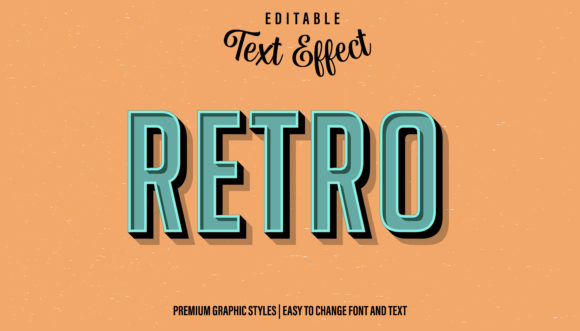
Retro Graphic Style for Illustrator: Editable Text Effects
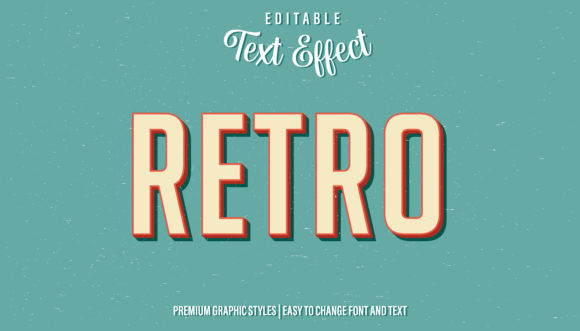
Imagine transforming a simple word into a vibrant, vintage-inspired headline in seconds, without complex layer styles or tedious manual adjustments. This is the creative promise of the Retro - Graphic Style for Illustrator, a versatile design asset that brings a polished, nostalgic aesthetic to your projects with remarkable ease. It’s more than just a font; it’s a complete, editable text effect designed to inject personality and professional flair into your work.
This graphic style functions as a powerful preset for Adobe Illustrator. Once applied to any text, logo, shape, or line, it instantly renders a cohesive retro effect. Think of it as a one-click solution for achieving a look that might otherwise require multiple steps and a deep understanding of Illustrator's appearance panel. The style is fully editable, meaning you can change the word, the font, and even adjust individual attributes within the style itself to perfectly match your vision.
Where This Retro Style Truly Shines
The applications for a tool like this are incredibly broad, making it a valuable addition to any designer's toolkit. Its strength lies in its ability to quickly establish a specific mood and visual consistency across various mediums.
- Logo & Brand Identity: Create memorable logos or brand elements with a classic, trustworthy feel. It’s perfect for businesses that want to evoke heritage, craftsmanship, or a fun, nostalgic vibe.
- Poster & Packaging Design: Instantly design eye-catching headlines for event posters, album covers, or product packaging. The style works beautifully for food labels, craft beer branding, or boutique merchandise.
- Digital & Social Media: Elevate your YouTube thumbnails, Instagram graphics, and website hero sections. A bold retro headline can stop the scroll and make your content stand out in a crowded feed.
- Game Titles & Editorial Layouts: Give game titles or magazine headlines a distinctive, thematic character. It adds a layer of visual storytelling that complements the content.
Integrating It Into Your Workflow
Using the style is straightforward. Simply drag and drop the graphic style file into your Illustrator’s Graphic Styles panel. Then, with your text or object selected, click the style thumbnail. The effect is applied instantly. This non-destructive method preserves your original artwork, allowing you to experiment freely. For a cohesive design system, consider pairing this retro-styled display font with a clean sans serif font for body text, ensuring readability while maintaining strong visual hierarchy.
When selecting any premium font or design asset, it’s wise to consider its flexibility. This style’s editability is a key advantage, allowing it to adapt to different projects. Always test how it looks at various sizes to ensure it remains legible, especially for smaller applications. Verify that the license covers your intended use, whether for personal projects, client work, or commercial merchandise.
Ultimately, the right design asset does more than just look good—it streamlines your creative process and elevates the final output. A well-crafted Retro - Graphic Style for Illustrator can become a secret weapon for creating polished, professional designs that resonate with an audience. It’s about choosing tools that not only deliver stunning visual results but also respect your time and creative flow, helping you build a stronger, more distinctive visual language for any project.