Quotes Stories V3 for Premiere Pro
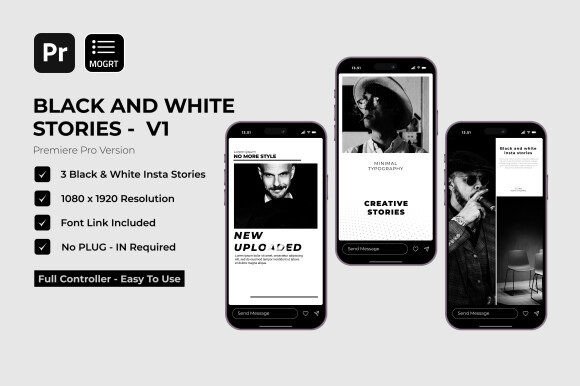
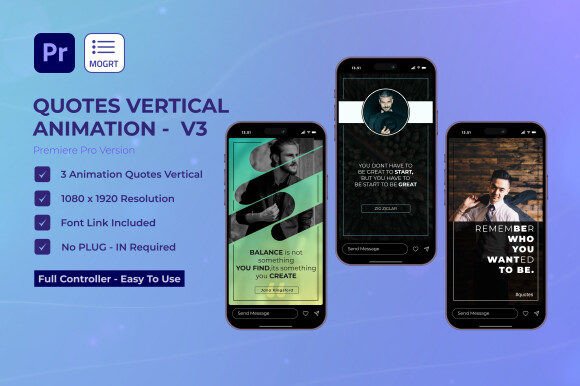
Imagine transforming a simple quote into a visually stunning Instagram story that stops the scroll and sparks engagement. That's the creative power unlocked by Quotes Stories V3 | Premiere Pro, a thoughtfully designed Motion Graphics Template (MOGRT) built to help creators and brands share inspiration with professional polish. This isn't just another template; it's a versatile design asset crafted for those who want their social media presence to feel both authentic and elevated.
This MOGRT package offers three unique story designs, each providing a fresh canvas for your messages. The real appeal lies in the balance it strikes between pre-made structure and creative freedom. You get the efficiency of a ready-to-use template while retaining full control to make it your own. With customizable colors, effortless content integration, and compatibility with any font, it adapts to your brand's specific voice and aesthetic. The included font link and well-organized project files mean you can start creating immediately, without technical hurdles or the need for additional plugins.
Where Design Meets Daily Content
Think about the moments that define a brand's social media: sharing a customer testimonial, promoting a blog post with a key takeaway, or posting a motivational Monday message. These are perfect use cases for Quotes Stories V3. It moves beyond basic text-on-image to deliver dynamic, animated visuals that feel premium. For a content creator, it means consistent, high-quality stories that reinforce brand identity. For a social media manager, it's a tool to boost engagement and save hours of design time.
The practical applications extend well beyond Instagram. Consider using these animated quote templates for:
- Brand Storytelling: Create a series of animated testimonials or brand values.
- Digital Marketing: Design eye-catching promotional graphics for sales or launches.
- Editorial Content: Enhance blog or newsletter visuals with shareable quote snippets.
- Event Promotion: Announce speakers or highlight key themes with animated posters.
Integrating a Template into Your Creative Workflow
Adopting a new design asset like this is about enhancing your workflow, not complicating it. The user-friendly nature of this MOGRT is its standout feature. The process is intuitive: open the template in Premiere Pro, replace the placeholder text with your own quote, adjust the colors to match your palette, and render. It’s designed for efficiency, allowing you to produce a polished, engaging story in minutes rather than hours.
When incorporating any premiere pro template or design asset, a few best practices ensure the best results. First, always preview the animation to ensure its mood aligns with your message—a sleek, minimal animation suits a corporate brand, while a more playful one might fit a lifestyle creator. Second, leverage the font flexibility. Pairing the template's included font with your brand's primary typeface can create a cohesive yet dynamic visual hierarchy. Finally, think in series. Using all three story designs from the package can create a cohesive content series that keeps your audience looking forward to the next post.
Ultimately, tools like Quotes Stories V3 | Premiere Pro exist to bridge the gap between a great idea and a professional execution. They empower individuals and small teams to compete visually with larger brands, ensuring that the quality of their message is matched by the quality of its presentation. In a digital landscape saturated with content, that polished, professional touch is what helps your stories—and your brand—truly stand out and resonate.